NFC & QR
Sharing your WhatsApp catalog and order link with an NFC card
Reading out a number, printing it, having a customer save it — an NFC card reduces all three steps to a single tap. The WhatsApp chat opens with your message already filled in.
· by NFCStand Editoryal Ekibi · 7 min read
For shopkeepers and wholesalers, WhatsApp is used for orders far more often than email or a website. The problem is getting the number across correctly: a number read aloud gets saved wrong, and a number printed on a business card gets mistyped.
How it works
WhatsApp's pre-filled-message link (your number plus an optional pre-filled message) is written onto the NFC card. The moment a phone touches the card, the chat screen opens directly — the customer can type to you without ever saving the number or risking a typo.
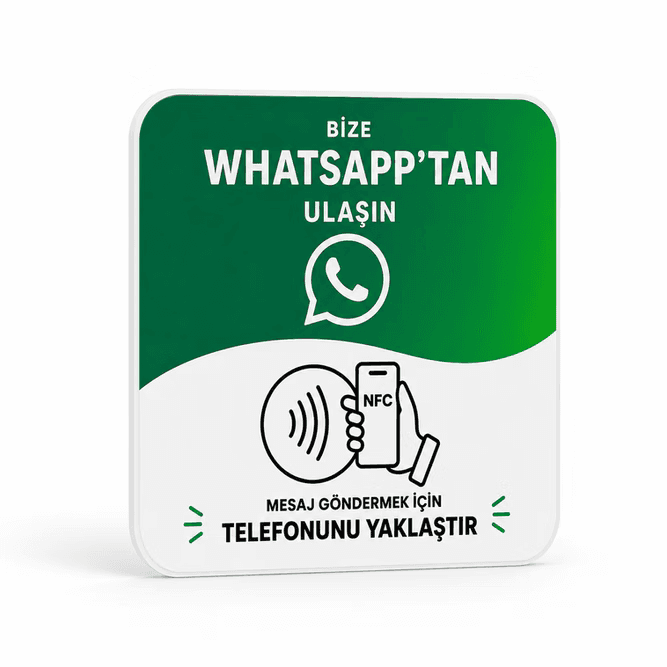
The WhatsApp NFC Card is sold as a ready-made product — built in the same 80×80 mm PVC format as the Google and Instagram cards, with a ready-made green template. All you specify when ordering is your number and an optional message.
Who uses it
- Wholesaler and shopkeeper counters — quick price inquiries.
- Car dealerships — staying in touch after a vehicle handover.
- Field sales teams — a pre-filled message link instead of a business card.
Frequently asked questions
It's not required, but we recommend WhatsApp Business if you want to use the catalog feature. A standard WhatsApp number can also be programmed as a pre-filled chat link.
Yes. The link is set up so that opening it automatically fills the chat box with a message; the customer can edit it before sending if they like.